
The Incomplete File Problem: How Smart Document Management Helps Tax Firms Close Cases Faster and With Fewer Errors
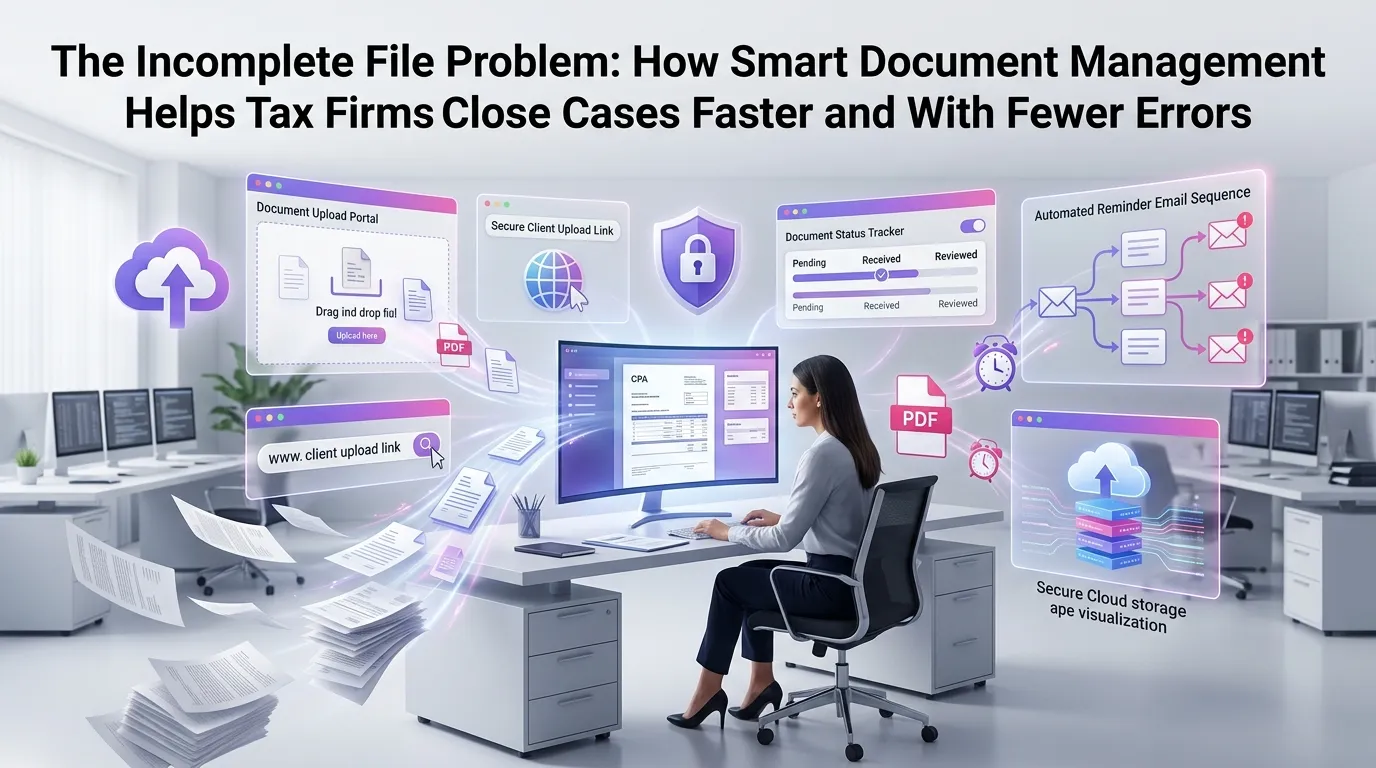
Every tax professional knows the sinking feeling: a client's return is nearly ready, but a critical document is missing. Maybe it's a K-1 that never arrived, a brokerage statement that got buried in an email thread, or a prior-year return that nobody can locate on the shared drive. These incomplete file situations don't just cause delays — they create compliance risks, erode client trust, and quietly drain your firm's profitability. Implementing robust document management for tax firms is no longer a luxury; it's the operational backbone that separates high-performing practices from perpetually overwhelmed ones.
Why Incomplete Files Are a Bigger Problem Than Most Firms Realize
On the surface, a missing document looks like a minor inconvenience. In practice, it triggers a cascade of productivity losses that compound across dozens — or hundreds — of client files simultaneously.
Consider the average tax preparer who spends 15 to 20 minutes per file chasing down missing information. Across a 200-client caseload during peak season, that's up to 67 hours of non-billable time spent on administrative follow-up alone. That figure doesn't account for the rework required when documents arrive late and change previously calculated figures.
According to the American Institute of CPAs (AICPA), administrative inefficiencies are among the top challenges cited by accounting firm owners looking to scale their practices. Document chaos sits at the center of that challenge.
The Hidden Costs of Disorganized Document Workflows
Beyond lost time, disorganized document workflows carry financial and reputational consequences. Errors caused by working from incomplete information can result in amended returns, IRS notices, and penalty exposure for both the firm and the client.
Staff morale also suffers. When preparers spend their days hunting for files instead of doing meaningful work, burnout accelerates — a serious concern in an industry already facing a talent shortage. Structured document management for tax firms directly addresses this by making every piece of information findable, trackable, and verified before work begins.
What Smart Document Management for Tax Firms Actually Looks Like
The term "document management" is often misunderstood as simply storing files in folders. Modern document management for tax firms is an active, intelligent system — not a passive archive. It tracks what has been received, what is still outstanding, and what has been reviewed, all in real time.
A well-designed system integrates with your firm's workflow so that document collection, organization, and verification happen automatically rather than manually. Think of it less like a filing cabinet and more like an air traffic control system for your client data.
Core Features That Drive Results
The most impactful document management platforms for tax firms share several key capabilities. Understanding what to look for helps firms evaluate solutions that will genuinely reduce friction rather than add another layer of complexity.
Automated document checklists: Each client engagement automatically generates a checklist of required documents based on their tax profile — W-2s, 1099s, Schedule K-1s, depreciation schedules, and so on. The system tracks which items have been received and which remain outstanding, eliminating manual follow-up spreadsheets.
Client-facing upload portals: Secure portals allow clients to upload documents directly from any device. Each upload is automatically tagged, timestamped, and mapped to the correct client file, reducing the risk of misrouted attachments and unsecured email exchanges.
Optical character recognition (OCR) and auto-categorization: Advanced platforms use OCR to read uploaded documents and automatically categorize them — sorting a 1099-INT into the interest income folder without a human touching it. This dramatically reduces the time preparers spend organizing files before they can even begin working.
Real-time status dashboards: Managers and partners can see, at a glance, which client files are complete, which are waiting on documents, and which are at risk of missing deadlines. This visibility is essential for proactive workflow management during busy season.
How Document Gaps Lead to Costly Errors
The relationship between incomplete files and errors is direct and well-documented. When a preparer begins work on a return before all documents are in hand, they are essentially building on an incomplete foundation. Any figures entered early may need to be revised, and revisions introduce new opportunities for error.
The IRS reports that amended returns (Form 1040-X) are commonly filed due to missing income documents — particularly 1099 forms that arrive after the original return has been submitted. Each amendment costs the firm time and can damage the client relationship, even when the error wasn't the firm's fault.
A document management system that enforces a "complete before processing" workflow prevents preparers from starting work on files that aren't ready. This single change can have an outsized impact on error rates and the number of amended returns a firm processes each year.
Version Control: The Underrated Error Prevention Tool
Another common source of errors is version confusion — a corrected 1099 arrives, but the preparer is already working from the original. Without version control, there's no guarantee the most recent document is the one being used.
Smart document management platforms maintain a complete version history for every file. When a corrected document is uploaded, the system flags it and notifies the assigned preparer, ensuring that no one accidentally finalizes a return based on superseded information. This capability alone can prevent a significant portion of the errors that lead to IRS notices.
Closing Cases Faster: The Workflow Efficiency Argument
Speed and accuracy are not mutually exclusive — but achieving both requires a structured approach to how work flows through your firm. Document management is the foundation of that structure.
When documents are complete, organized, and verified before a preparer touches a file, the actual preparation work becomes faster and more focused. There's no interruption to search for a missing form, no back-and-forth with the client mid-preparation, and no rework when a document arrives late. The preparer simply opens a complete file and gets to work.
Reducing Bottlenecks at the Review Stage
Review bottlenecks are one of the most common causes of deadline pressure during tax season. When reviewers receive files that are disorganized or missing supporting documents, the review process slows to a crawl. Partners spend time doing administrative cleanup instead of high-value review work.
With a structured document management system, every file that reaches the review queue meets a defined standard of completeness. Reviewers can move faster, provide more consistent feedback, and approve returns with greater confidence. The downstream effect is a smoother, more predictable workflow from intake to delivery.
Firms using a comprehensive tax firm automation platform report significant reductions in the time between document collection and return delivery — often cutting the cycle time by 30 to 40 percent during peak periods.
Security and Compliance: Why It Matters for Document Management
Tax documents contain some of the most sensitive personal and financial information that exists. Social Security numbers, bank account details, business financials — all of it flows through your firm's document systems every day. The security architecture of your document management solution is not a secondary concern; it is a core requirement.
The Journal of Accountancy has highlighted cybersecurity as a top risk area for accounting firms, particularly as client data increasingly moves through digital channels. Firms that rely on email attachments and unsecured shared drives are exposing themselves — and their clients — to significant risk.
A purpose-built document management system for tax firms provides end-to-end encryption, role-based access controls, audit trails, and compliance with IRS Publication 4557 guidelines for safeguarding taxpayer data. These protections are built in, not bolted on as afterthoughts.
Audit Trails and Accountability
When a client questions a figure on their return or an IRS notice arrives, your firm needs to be able to reconstruct exactly what documents were received, when they were reviewed, and who made what decisions. A complete audit trail isn't just useful — it's essential for professional liability protection.
Modern document management platforms log every action automatically: uploads, downloads, reviews, approvals, and communications. This creates an immutable record that protects your firm and demonstrates professional diligence to regulators and clients alike.
Implementing Document Management: Where to Start
For firms that are currently managing documents through a patchwork of email folders, shared drives, and manual checklists, the prospect of implementing a new system can feel daunting. In reality, the transition is far smoother than most firms expect — especially when the platform is designed specifically for tax workflows.
Start by auditing your current document collection process. Identify the specific points where files get stuck: Is it at intake? During preparation? At the review stage? Understanding where the friction lives helps you configure your new system to address the highest-impact problems first.
Next, standardize your document checklists by client type. A W-2 employee has very different document requirements than a Schedule C business owner or a real estate investor. Building these templates into your system ensures that every client file is evaluated against the right standard from day one.
Finally, train your team on the new workflow before busy season begins. The goal is to make the new process feel natural before the volume pressure hits. Firms that invest in proper onboarding see faster adoption and better outcomes from their document management investment. To explore how MultidexTech supports this transition, explore our blog for implementation guides and best practices.
The Competitive Advantage of Getting This Right
Tax firms that solve the incomplete file problem don't just become more efficient internally — they become meaningfully better at serving clients. Faster turnaround times, fewer errors, more proactive communication, and a seamless document experience all contribute to higher client satisfaction and stronger retention.
In a competitive market where clients have more choices than ever, operational excellence is a differentiator. Firms that can credibly promise a smooth, organized, and secure experience will win and retain clients that disorganized competitors lose.
If you're ready to transform how your firm handles documents, view our pricing plans to find the right fit for your team size and caseload.
Frequently Asked Questions
What is document management for tax firms, and how is it different from general file storage?
Document management for tax firms goes beyond simply storing files in folders. It involves active tracking of document status, automated checklists, client upload portals, version control, and integration with tax preparation workflows. General file storage is passive; tax-focused document management is dynamic and purpose-built for the compliance and deadline requirements of professional tax practice.
How does a document management system help reduce errors on tax returns?
By enforcing a "complete before processing" workflow, document management systems prevent preparers from working on incomplete files. Version control features ensure that corrected documents replace outdated ones and trigger notifications to the assigned preparer. Together, these features significantly reduce the errors that stem from missing or superseded information.
Is cloud-based document management secure enough for sensitive tax data?
Yes — when the platform is purpose-built for tax firms and designed to comply with IRS Publication 4557 guidelines. Look for end-to-end encryption, role-based access controls, multi-factor authentication, and complete audit trails. A reputable platform will be more secure than most in-house alternatives like unsecured shared drives or email attachments.
How long does it take to implement a document management system at a tax firm?
Implementation timelines vary by firm size and complexity, but most firms can be fully operational within one to two weeks using a modern, cloud-based platform. The key is to configure client-type document checklists before onboarding clients and to train staff before peak season begins. Platforms designed specifically for tax firms typically offer guided onboarding to accelerate the process.
Can document management software integrate with my existing tax preparation software?
Many leading document management platforms for tax firms offer integrations with popular tax preparation software, practice management tools, and CRM systems. Before selecting a platform, verify that it connects with the tools your team already uses to avoid creating data silos or manual re-entry workflows.
Ready to eliminate the incomplete file problem at your firm? MultidexTech is built specifically for tax professionals who want to close cases faster, reduce errors, and deliver a better client experience. Start your free trial today — no credit card required, and full access for 14 days so you can see the difference structured document management makes before you commit.
```Related Posts

From Chaos to Control: Building a Document Workflow That Runs Itself During Peak Season
11 min read
The Document Deadline Problem: How Tax Firms Are Getting Complete, Accurate Files From Clients Before It's Too Late
13 min read
One Place for Everything: How Centralized Document Management Keeps Tax Firms Organized Year-Round
11 min read